
Key Takeaways
A founder’s guide to mobile app maintenance services: what they cover, what they cost in 2026, and how to hand off an app you can no longer maintain.
- Maintenance is survival, not polish. Apps that don’t keep up with iOS and Android updates risk crashes and removal from the stores.
- Budget 20 to 25% of build cost per year. A $100,000 app needs roughly $20,000–$25,000 annually to stay healthy.
- Bugs drive uninstalls. Around 60% of users abandon an app after hitting bugs, so fixes protect revenue directly.
- The handoff is where founders get trapped. Losing signing keys or store accounts can lock you out of your own app.
- Own everything from day one. Code, credentials, keys, and store accounts should be yours, not your developer’s.
A mobile app is not a project you finish. It’s a product you keep alive. Mobile app maintenance services exist because iOS and Android move underneath your app constantly, and an app that stands still slowly breaks: it crashes on new OS versions, falls out of store compliance, and quietly bleeds users. Statista data shows roughly 60% of users uninstall an app after running into bugs, so neglect has a direct cost.
This guide is for founders who have a launched app and a decision to make: what maintenance actually involves, what it should cost in 2026, what to look for in a provider, and the part almost nobody plans for, how to cleanly hand off an app you can’t maintain yourself without losing access to your own product.
What Do Mobile App Maintenance Services Actually Include?
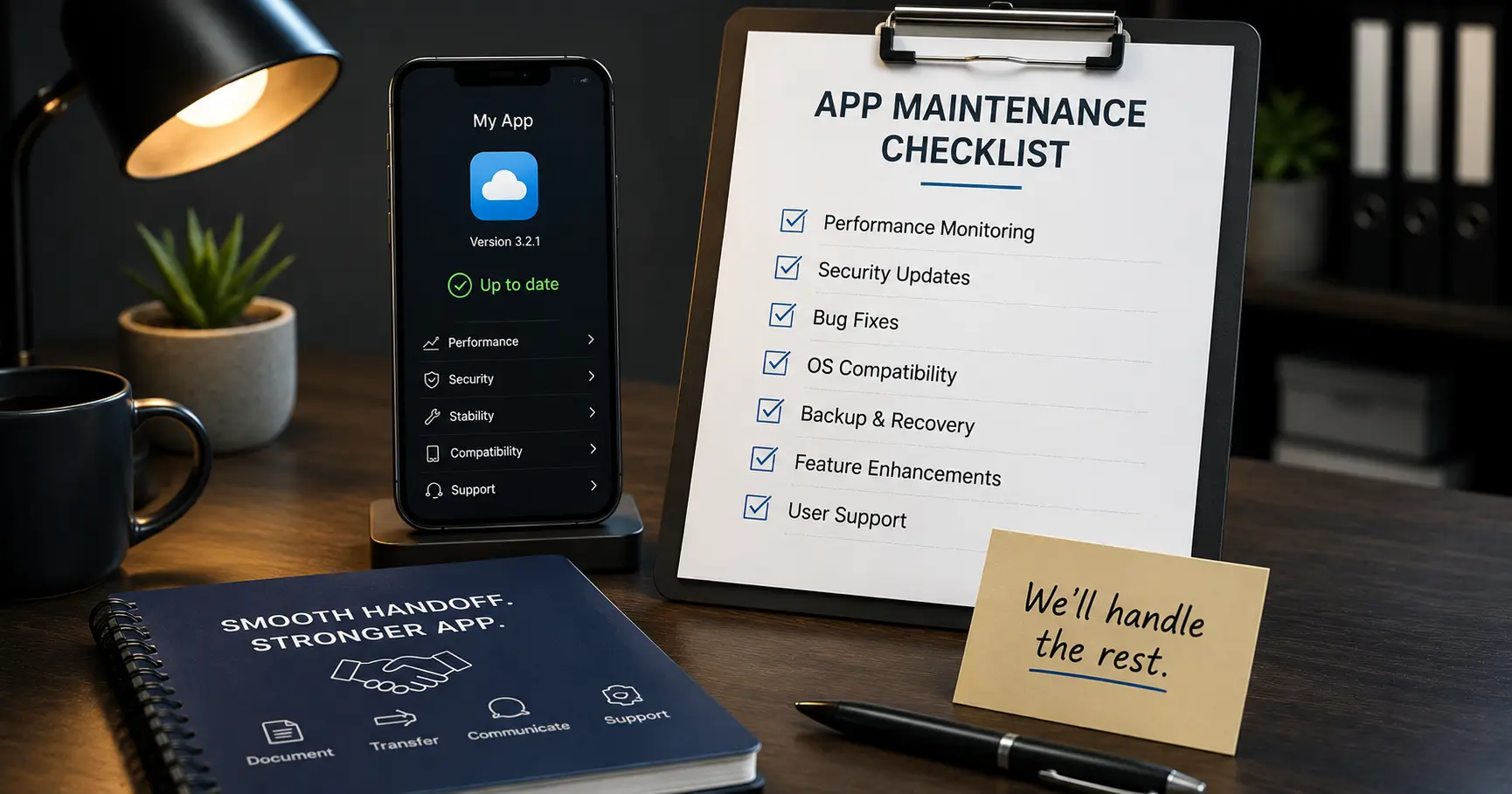
Mobile app maintenance services keep an app compatible, secure, and stable after launch. It’s ongoing engineering work, not a warranty, and it usually covers six areas: OS and device compatibility updates, bug fixes, security patches, app store compliance, dependency and SDK updates, and performance monitoring.
The mix matters. Bug fixes and security work alone typically consume 20 to 30 percent of a maintenance budget, because vulnerabilities and crashes can’t wait. On top of that sit the quieter tasks: updating third-party libraries before they break, keeping server and cloud infrastructure healthy, and making small improvements based on how users actually behave. Good maintenance is mostly invisible. You notice it only when it’s absent and the one-star reviews start.
It helps to picture maintenance as three layers: keeping the lights on (OS updates, security, store compliance), keeping users happy (bug fixes and performance), and keeping the product moving (small improvements). Skimp on any one layer and the damage shows up somewhere else, usually in your ratings.
Why Does a Mobile App Need Ongoing Maintenance?
A mobile app needs maintenance because the platforms it runs on never stop changing. Both Apple and Google ship major OS updates every year, and each release can break compatibility, change design requirements, or deprecate an API your app depends on.
The stores are just as demanding. Both update their guidelines regularly, and Apple’s App Store Review Guidelines can reject an update that no longer complies. Google is stricter still: Play requires apps to target a recent Android API level or it stops showing them to new users. Then there’s security, where unpatched dependencies become real vulnerabilities, a risk the OWASP Mobile Top 10 catalogs in detail. Ignore all this and the outcome is predictable: crashes, uninstalls, and eventually an app the stores won’t even list.
How Much Do Mobile App Maintenance Services Cost in 2026?
Mobile app maintenance costs 20 to 25% of the initial build cost per year in 2026, up from the old 15 to 20 percent rule. For a $100,000 app, that’s $20,000 to $25,000 annually to cover hosting, bug fixes, OS updates, security, and small refinements. Regulated apps in fintech or healthcare can hit 35 percent because of continuous compliance work.
| App Type | Annual Maintenance (2026) | What Drives It |
| Simple app | $6,000–$20,000 | Basic updates, hosting, occasional fixes |
| Mid-size app | $20,000–$80,000 | Integrations, more OS and store work |
| Complex or enterprise app | $80,000–$300,000+ | Security, compliance, high availability |
The number founders get wrong is treating maintenance as optional overhead. It isn’t. It’s the cost of keeping the asset you already paid to build from depreciating to zero. An unmaintained app doesn’t hold its value. It rots.
Two costs often sit outside that maintenance percentage and surprise founders: cloud hosting, which scales with your user count, and paid third-party services like push notifications, maps, or analytics. Fold both into the annual number so your budget reflects the true cost of keeping the app live, not just the cost of touching the code.
Should You Maintain the App In-House or Outsource It?
Whether to maintain in-house or outsource comes down to whether you have senior mobile engineers with spare time, which most early startups don’t. Both paths work. The wrong fit just wastes money.
| Option | Best For | Watch Out For |
| In-house team | Funded startups where the app is the core product | High cost; senior mobile talent is hard to hire and keep |
| Outsourced maintenance | Lean teams wanting predictable coverage without headcount | Vet for both platforms, monitoring, and a real SLA |
| Hybrid | Founders who handle light updates and outsource hard work | Needs a clear split of who owns what |
In practice, most startups start outsourced or hybrid. A dedicated in-house mobile engineer costs well over six figures a year, which only makes sense when the app is central and constantly evolving. Outsourced maintenance turns an unpredictable, hard-to-staff need into a fixed monthly line item, which is usually what a founder actually wants.
What Should You Look For in a Maintenance Provider?
Look for a maintenance provider that covers both platforms, monitors proactively, and commits to response times in writing. The difference between a good and bad provider shows up during an incident, not in the sales call.
- Both iOS and Android coverage, including OS updates and store submissions, not just bug tickets.
- Proactive monitoring. They catch crashes and performance drops before your users report them.
- A defined response-time SLA. You want a written commitment for critical issues, not “we’ll get to it.”
- Full ownership for you. They work in your repositories and accounts, never hold your app hostage on theirs.
- Transparent reporting. A clear monthly summary of what changed, what broke, and what’s next.
Red flags are the mirror image: single-platform shops, purely reactive support, no monitoring, and any reluctance to give you admin access to your own code and store accounts.
Reactive vs Proactive Maintenance: Which Do You Need?
Reactive maintenance fixes things after they break, while proactive maintenance prevents most breaks in the first place. The gap between them is the difference between constant firefighting and a stable product.
Reactive-only support means you wait for a crash report or a rejected update, then scramble. It looks cheaper on paper and costs far more in lost users and emergency work. Proactive maintenance monitors crashes and performance continuously, tests against OS betas before public release, updates dependencies before they break, and keeps the app ahead of store policy changes. For any app your business depends on, proactive is the only sane default. Reactive-only is fine for a low-stakes internal tool, not for a product tied to revenue. The cost difference between the two is small; the outcome difference is enormous.
How Do You Hand Off an App You Can’t Maintain Yourself?
You hand off an app cleanly by transferring every asset needed to build, ship, and update it, before you part ways with whoever built it. This is where founders get burned, because the most valuable items are the easiest to lose. Work through this checklist:
- Transfer the source code. The full Git repository with complete history, not a zipped snapshot.
- Transfer the store accounts. Ownership of the Apple Developer and Google Play Console accounts, or a formal app transfer to yours.
- Hand over signing keys and certificates. The Android keystore and iOS certificates and provisioning profiles. Lose these and you may be unable to update your own app.
- Transfer credentials and API keys. Backend access, third-party services, analytics, and push-notification keys.
- Get documentation. Architecture notes, environment setup, a deployment runbook, and a list of known issues.
- Run a knowledge-transfer session. A live handover with the outgoing team beats any document alone.
The signing keys deserve special attention. A startup that loses its Android keystore cannot push updates to its existing app and may have to publish a brand-new listing, losing its ratings and install base. Treat those keys like the keys to the business, because for your app, they are.
When Should You Redesign Instead of Maintain?
Maintenance keeps an app healthy, but it can’t fix a dated design or an architecture that has run out of room. If you’re spending more each month patching an aging codebase than a rebuild would cost when spread over time, that’s the signal to redesign rather than keep maintaining.
Watch for three triggers: maintenance costs climbing year over year while delivering no new value, an architecture that can’t support the features users now expect, and a look that quietly signals “abandoned” to new users. In those cases, pouring money into maintenance is throwing good money after bad. A focused rebuild on a modern stack often costs less over two years than endlessly maintaining something built on assumptions that no longer hold.
What Are the Most Common Mobile App Maintenance Mistakes?
The most common maintenance mistake is not budgeting for it at all. Founders spend everything on the build, launch, and then treat updates as a surprise expense. The others compound the damage:
- No monitoring. You learn about crashes from reviews instead of dashboards.
- Skipping OS updates. The app works today and breaks the week the new iOS or Android ships.
- Ignoring store policy changes. An update gets rejected at the worst possible moment.
- Not owning your keys and accounts. The single fastest way to get locked out of your own product.
- Deferring security patches. Cheap to apply early, expensive after a breach.
How Do You Set Up App Maintenance the Right Way?
Set up maintenance before you launch, not after something breaks. Decide who owns updates, put monitoring in place, budget the annual percentage, and make absolutely sure you hold every credential, key, and account. The goal is simple: no single person or vendor should be able to strand your app.
This is why ownership is central to how Velcod approaches mobile app development. Founders get the full codebase, the store accounts, and every key from day one, so maintenance can stay in-house, move to another team, or come back to Velcod without a hostage situation. You can see how that clean-handoff approach works in the case studies.
An app is a living product with a running cost, and the founders who plan for that keep their ratings, their users, and their sanity. Those who don’t rediscover their app the day it disappears from the store. If you’re launching a mobile app and want it built to be maintainable and fully yours, talk to the team about setting it up right.
Frequently Asked Questions
How much does mobile app maintenance cost per year?
Plan for 20 to 25% of the initial build cost annually in 2026. A $100,000 app needs roughly $20,000 to $25,000 a year to cover hosting, bug fixes, OS updates, security, and small improvements. Simple apps run $6,000–$20,000 per year, while complex or regulated apps in fintech and healthcare can reach 35% of build cost.
What does mobile app maintenance include?
It covers OS and device compatibility updates, bug fixes, security patches, app store compliance, dependency and SDK updates, server and hosting upkeep, and performance monitoring. Bug fixes and security typically account for 20 to 30 percent of the budget. Small feature refinements based on user behavior are usually included too, keeping the app relevant over time.
What happens if you don’t maintain a mobile app?
It slowly breaks. New iOS and Android versions cause crashes, store policy changes get your updates rejected or your app removed, and unpatched security holes accumulate. Around 60% of users uninstall after hitting bugs, so an unmaintained app steadily loses ratings, users, and revenue until it’s effectively dead in the stores.
How do I transfer my app to a new development team?
Transfer the full source code, the Apple Developer and Google Play accounts, the signing keys and certificates, all credentials and API keys, and complete documentation, then run a knowledge-transfer session. The signing keys are critical: losing the Android keystore can prevent you from updating your existing app, forcing a new listing that loses your reviews.
Can I maintain my own app after a developer builds it?
Yes, if you own everything from day one: the code, store accounts, keys, and credentials. Many founders keep light maintenance in-house and outsource complex OS or security work. The key is never letting a developer hold your keys or accounts, because that’s what turns a simple handoff into being locked out of your own product.
Resources & Further Reading
- Apple Developer: OS release cycles, tools, and requirements for keeping iOS apps current.
- Android Developers: platform updates and compatibility guidance for Android apps.
- Apple App Store Review Guidelines: the compliance rules that decide whether your update ships.
- Google Play: Target API Level Requirements: why apps must stay updated to remain listed.
- OWASP Mobile Top 10: the mobile security risks maintenance is meant to close.
- Statista: data on app uninstalls, usage, and mobile market trends.