
Key Takeaways
How to build internal tools in 2026: Retool vs Bubble vs custom code, what each costs, and a clear decision framework for when each one wins.
- Retool is the fastest way to build admin panels and dashboards on data you already store, if you have staff comfortable with SQL and JavaScript.
- Bubble is the best no-code pick for non-technical teams that want a custom internal app and own its data outright.
- Custom code wins only when the tool is core to the business, highly complex, high-scale, or has logic no platform handles well.
- Watch the hidden costs: Retool bills per user, Bubble bills by workload units, and custom code bills your time forever in maintenance.
- Match the tool to the job and your team’s skills. The most expensive mistake is over-building a simple internal tool.
Internal tools are where most teams quietly lose hours: the admin panel, the ops dashboard, the back-office app that reads your database and lets your team do their jobs. In 2026 you have three serious ways to build one, and picking wrong costs you either money or months.
This guide compares the three honestly: Retool, Bubble, and custom code. You get what each is actually good at, real 2026 pricing, and a decision framework for when each one wins. The goal is to help you build the right internal tool the right way, whether you write code or not.
How Do You Build Internal Tools Without Code?
You build internal tools without code using a platform that connects a visual interface to your data, either one that sits on top of your existing database (Retool) or one with its own built-in database (Bubble). Both let you ship an admin panel or dashboard in days instead of the weeks a custom build takes.
Most internal tools fall into a few buckets: admin panels that manage users and records, operations dashboards that surface live metrics, back-office apps that run approvals or fulfillment, and support tools that let your team act on account data. They all share one trait, which is that they read and write your business data. So the right builder is mostly a question of where that data already lives and who will maintain the tool once it ships.
The third path, custom code, is not no-code at all, but it belongs in the comparison because it is the right answer often enough to matter. The real skill is not picking the trendiest tool; it is matching the tool to your data, your team’s skills, and how critical the tool is. We build internal tools both ways at Velcod, and the choice almost always comes down to those three factors.
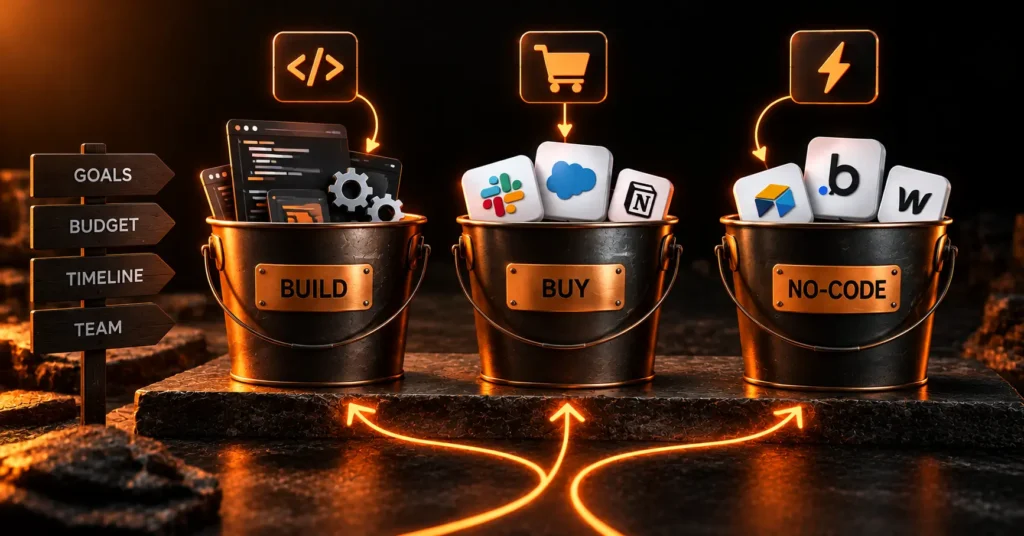
Quick Verdict: Choose Retool when you have technical staff and need data-heavy admin panels on systems you already run; it connects straight to your database and is fast, but bills per user and needs SQL. Choose Bubble when you are non-technical and want a custom internal app you fully own, accepting workload-based costs. Choose custom web app development when the tool is core, complex, or must scale past what a platform allows. Most teams are best served by no-code first, then graduating only if they outgrow it, a path our no-code versus custom MVP guide maps in full.
Retool vs Bubble vs Custom: At a Glance
Here is the honest head-to-head before the detail. Each column is a genuinely different tool for a genuinely different situation.
| Factor | Retool | Bubble | Custom Code |
| Best for | Admin panels, dashboards on existing data | Custom internal apps with their own data | Complex, high-scale, unique tools |
| Data model | Connects to your databases and APIs | Built-in database | Anything you design |
| Who builds it | Developers comfortable with SQL and JS | Non-technical founders and ops teams | Engineers |
| Pricing | Per user: from $10 builder + $5 user (Team) | Per app plus workload units, from $29/mo | Build cost $10,000 to $60,000-plus |
| Main risk | Per-user cost climbs; needs code for depth | Workload costs and migration lock-in | Time and ongoing maintenance |
The short version: Retool is for technical teams building on data they already have, Bubble is for non-technical teams building something custom, and custom code is for when the tool is too important or too unusual for either.
One nuance the table cannot capture: these options are not a lifetime commitment. The platform you start on buys you speed today, and nothing stops you moving the one tool that outgrows it to custom code later while everything else stays on no-code.
What Is Retool Best For?
Retool is best for building internal admin panels, dashboards, and back-office tools on top of data you already store. It connects directly to databases and APIs like PostgreSQL, MySQL, Salesforce, and Stripe, then lets you drag in tables, forms, and charts and wire them up with SQL and JavaScript.
That design is its strength and its catch. For a developer, Retool is the fastest way to turn an existing database into a usable internal tool. For a truly non-technical founder, the SQL and JavaScript needed for anything beyond the basics make it only partly no-code.
A concrete example: an operations team that wants to view, filter, and refund Stripe charges alongside customer records from Postgres can wire that up in Retool in an afternoon, because the data connectors and query tools are built for exactly that. Where Retool frustrates teams is polish and portability. The interface is functional rather than beautiful, and your app lives inside Retool, so you cannot lift it out and self-host unless you are on the Enterprise plan.
Pricing is per user on annual billing: Free covers up to 5 users, Team is $10 per builder plus $5 per internal user, and Business is $50 per builder plus $15 per user, with Enterprise custom and the only tier that allows self-hosting. The cost is predictable when your user count is small and known, but it climbs with team size, and connecting many data sources often leans on the API integrations that internal tools live on. Retool also meters usage beyond seats: AI credits, workflow runs, and agent hours each carry monthly allowances, with overages on paid plans, so a heavy automation workload adds cost on top of the per-user fee.
What Is Bubble Best For?
Bubble is best when you are non-technical and want a custom internal app that you own outright, data and all. Unlike Retool, Bubble has its own built-in database, a visual editor with real layout control, and no requirement to write SQL or JavaScript for most tasks.
That makes it the stronger no-code pick for founders and ops teams without engineers. It also doubles as a customer-facing app builder, so the same skills carry over if you later build a product, not just an internal tool.
A concrete example: a founder who needs a custom inventory and order-management tool, with its own data and a specific workflow no off-the-shelf app matches, can build it end to end in Bubble without hiring a developer. The same founder could later point that skill at a customer-facing MVP. That versatility is a big part of why Bubble is the default no-code pick for teams without engineers on staff.
The trade-offs are real. Bubble prices by workload units on top of a plan from $29 a month, so costs rise with usage and can be hard to forecast. And because your app lives inside Bubble’s ecosystem, leaving later means a rebuild. For a deeper platform comparison, our WeWeb versus Bubble breakdown weighs the no-code options side by side.
When Does Custom Code Win?
Custom code wins when the internal tool is core to how the business runs, genuinely complex, high-scale, or built around logic no platform handles cleanly. It is the most expensive path upfront, but the only one with no ceiling.
With custom code you own everything, integrate anything, and scale without per-user or workload penalties. The cost is real: a custom internal tool typically runs $10,000 to $60,000 or more to build, plus the ongoing maintenance that every codebase demands. That is overkill for a simple dashboard and exactly right for a mission-critical ops system.
Think of a logistics company whose internal tool routes thousands of shipments a day against custom rules, or a back-office system that has effectively grown into a custom ERP. No per-user or workload-priced platform is built for that scale, and the control custom code gives over performance, security, and data is worth the cost. Below that level of complexity, a platform almost always wins on speed and price.
The smartest pattern is rarely custom-from-day-one. It is starting on no-code, proving the tool earns its keep, then rebuilding only the pieces that outgrow the platform. That controlled handoff is what our no-code to custom-code migration guide and our case studies walk through.
What Do Internal Tools Cost to Build and Run?
Cost splits into two parts, and the three options load them differently. Retool and Bubble are cheap to start and bill forever; custom code is expensive to start and cheap to run.
On Retool, a small technical team might pay $30 to $150 a month in seats, rising with every user and heavy automation workload. On Bubble, expect $29 to a few hundred a month depending on workload units, with no per-user charge. Custom code flips the model: $10,000 to $60,000 or more upfront to build, then mostly hosting and maintenance, with no per-seat or workload tax as you grow.
The pattern is clear. For a small team or an early tool, no-code is far cheaper. For a large team hammering a tool daily for years, custom code’s flat running cost can eventually come out ahead. Map your three-year cost, not just month one, before you commit.
When Does Each One Win?
Each option wins in a clear, separable situation, so the decision is less about taste and more about matching your reality. Use this framework.
| Choose | When |
| Retool | You have technical staff and are building admin tools on data you already store |
| Bubble | You are non-technical and want a custom internal app without writing code |
| Custom code | The tool is core, complex, high-scale, or has logic no platform handles |
A quick example. A ten-person startup whose engineers need a dashboard over their Postgres database should reach for Retool and have it live in a day. A non-technical founder who needs an inventory tool with a custom workflow is better off in Bubble. A company whose internal tool is effectively its product, processing millions of records with strict rules, belongs in custom code from the start.
When two options feel close, let cost and team decide. Retool is cheapest when your user count is tiny and technical; Bubble is cheapest when you lack engineers; custom code only pays off when the tool is important enough to justify the build and upkeep.
Many teams end up with a mix, and that is healthy. A support dashboard in Retool, a customer-facing portal in Bubble, and one custom-coded service for the part that truly needs it is a common, sensible stack. You do not have to standardize on a single tool. You have to match each tool to each job, and let the stack reflect how different your internal tools really are.
Who Should Not Build Internal Tools This Way?
Some teams should not reach for any of these three, and saying so saves money. If your need is genuinely simple, a well-structured spreadsheet or an Airtable base with a light front end often beats building anything, and costs almost nothing.
If you have no technical staff and no budget for a platform’s learning curve, a simpler builder like Softr or Glide can get a basic portal live faster than Retool or Bubble.
There is also a timing trap worth naming. Building a polished internal tool before you know the workflow it should support wastes effort, because the requirements change the moment people start using it. Sketch the workflow in a spreadsheet first, let it stabilize over a few weeks of real use, then build the proper tool once you actually know what it needs to do. And if the tool would be used once and discarded, do not build it at all. Reserve Retool, Bubble, and custom code for internal tools your team will use daily and depend on. If you want a straight recommendation for your situation, you can talk to our team.
The best way to build internal tools in 2026 is to be honest about three things: who is building it, where the data lives, and how critical the tool is. Answer those, match them to Retool, Bubble, or custom code, and you get a tool your team actually uses, without overpaying in money or time.
Frequently Asked Questions
What is the best tool to build internal tools without code?
For technical teams, Retool is the best no-code-ish choice because it connects directly to your existing databases and APIs. For non-technical teams, Bubble is the strongest fully no-code option, since it needs no SQL or JavaScript and gives you your own database. The right pick depends on your team’s skills and where your data already lives.
Is Retool or Bubble better for internal tools?
Retool is better for data-heavy admin panels when you have developers who know SQL and JavaScript and your data already lives in a database. Bubble is better for non-technical teams building a custom internal app with its own data. Retool bills per user; Bubble bills by workload units. Match the tool to your team’s skills and your data.
How much does it cost to build an internal tool?
No-code internal tools start around $10 to $50 per user per month on Retool, or from $29 a month plus workload fees on Bubble. A custom-coded internal tool typically costs $10,000 to $60,000 or more to build, plus ongoing maintenance. The cheapest path depends on team size, so a small technical team often finds Retool cheapest and a non-technical team finds Bubble cheapest.
When should you build internal tools with custom code instead of no-code?
Build with custom code when the internal tool is core to the business, highly complex, must scale to heavy usage, or has logic that no platform handles cleanly. No-code is faster and cheaper to start, so most teams should begin there and rebuild in custom code only the parts that genuinely outgrow the platform, rather than over-building from day one.
Can you build internal tools without any coding at all?
Yes, with Bubble and simpler tools like Softr or Glide you can build real internal tools without writing code. Retool is partly no-code but needs SQL and JavaScript for anything advanced, so it suits technical users better. Fully no-code platforms are ideal for non-technical founders and ops teams building admin panels, dashboards, and back-office apps.
Resources and Further Reading
The following authoritative sources informed and support this article:
- Retool: Official platform and pricing for building internal tools on existing data.
- Bubble: Full-stack no-code platform for custom internal and customer-facing apps.
- G2: Verified user reviews comparing Retool, Bubble, and other internal-tool builders.
- Capterra: Independent software reviews and pricing for internal-tool platforms.
- Gartner: Research and forecasts on low-code and no-code application development.
- Stack Overflow Developer Survey: Data on developer tools, databases, and languages behind custom builds.

M. Sabir Junaid
Founder • CEO
M. Sabir Junaid is founder and CEO of Velcod, the senior product studio. He leads product and delivery across MVPs, SaaS platforms, and mobile apps — system architecture, no-code and low-code engineering, and AI integration. An official Bubble partner, Sabir has shipped products across fintech, marketplaces, edtech, and creator platforms. He works with founders raising pre-seed to Series A who need a product built to launch and scale in weeks, not a six-month agency build.
Share
- Previous
- Next
Ready to build?
Your idea, live in 3 weeks.
Book a free strategy call and get a fixed-price roadmap for your MVP, SaaS, or app.